A conversation can reveal a gap that a familiar flashcard never exposes: you understand a word but cannot find it when you need to answer. The useful follow-up is to capture that specific gap and practise it again.
In WordPlus, conversation practice and vocabulary sets can be part of the same routine. The steps below use a simple travel scenario so you can try the process with material you actually need.
Prepare a small, concrete situation
Instead of choosing “travel” as an unlimited topic, practise changing a hotel reservation. Prepare words or phrases for a booking, dates, availability and a confirmation. Check their meanings before the conversation.
Decide what you want to accomplish: explain that your arrival date changed and ask whether a room is available. This gives you a way to judge the session beyond how many messages you exchanged.
Choose your conversation setup
Open Conversation, start a new conversation, and check the course language and helper language. Select a set when practising its vocabulary, then choose an available voice or chat mode. The simulator screen below shows the setup before a conversation starts; voice and chat are marked beta in this build.
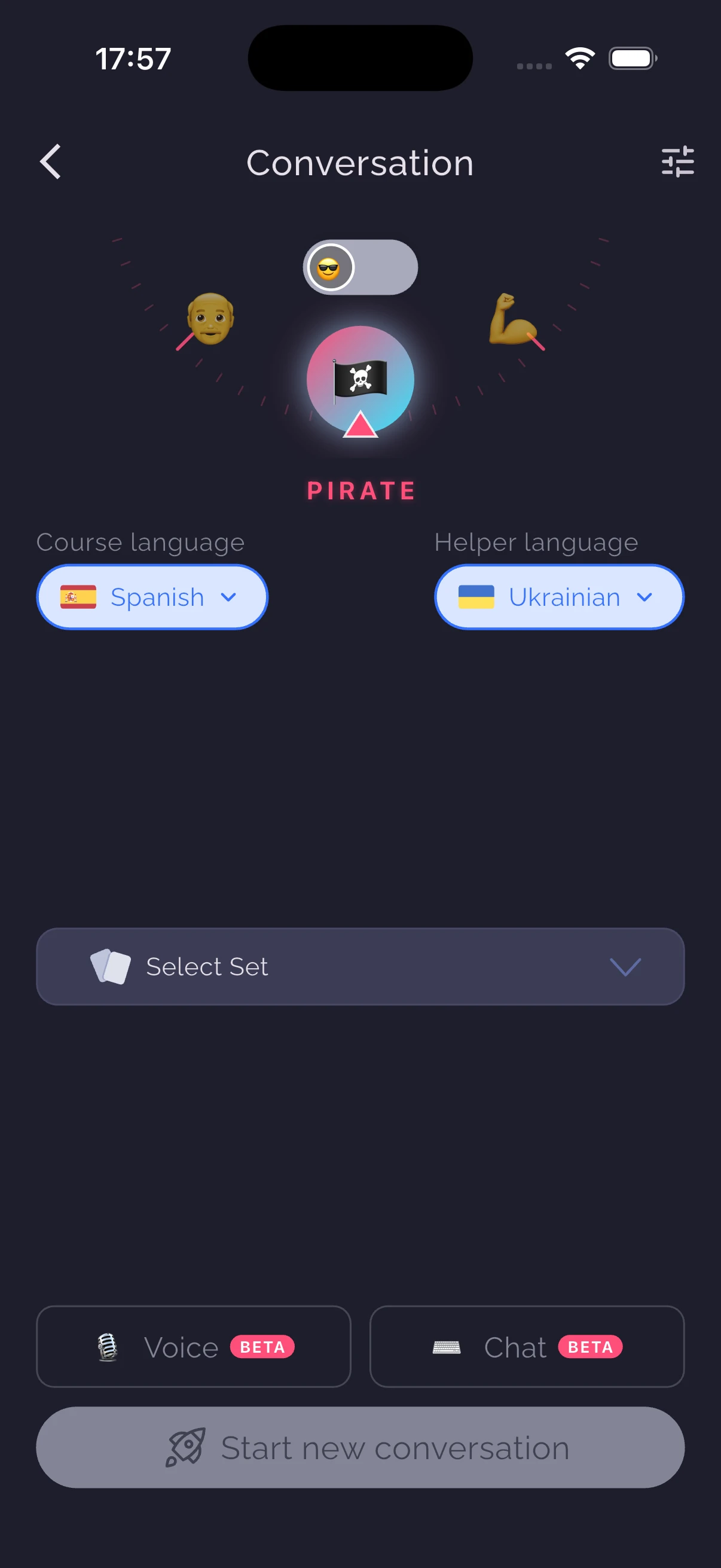
AI conversation requires an online service. Check the in-app availability and current plan details before relying on it for a lesson. Chat is a useful option when speaking aloud is inconvenient.
Review the conversation for useful gaps
Afterward, read the transcript and available feedback. Look for a phrase you needed but could not produce, a word you misunderstood, and one useful expression from the reply. You do not need to turn the whole transcript into a deck.
Check suggestions before saving them. AI feedback can miss context or propose an unnatural alternative. For a phrase you will use in an important conversation, compare with a reliable dictionary, course material or a teacher's explanation.
Convert one gap into a clear card
Suppose you wanted to ask whether a room was available. Save the relevant phrase with its meaning and a short example. Make the prompt specific enough that you can tell whether your answer is correct.
Review with the answer hidden. Then change the scenario: ask about a different date or room type. This second use helps you see whether you learned a reusable expression or merely memorised the original exchange.
Keep the next session connected
Return to the same situation later with a small variation. Notice whether you can produce the phrase without opening the card. If you still hesitate, keep it in your review routine and simplify the prompt if needed.
A transcript score or estimated level is feedback from a practice tool, not an official assessment of proficiency. Use the session to select your next action. For the memory side of the routine, see active recall and spaced review.